General
Sets the interface language, controls administrative access and automatic updates, and turns anonymous statistics collection on and off.
- Windows
- macOS
- Linux
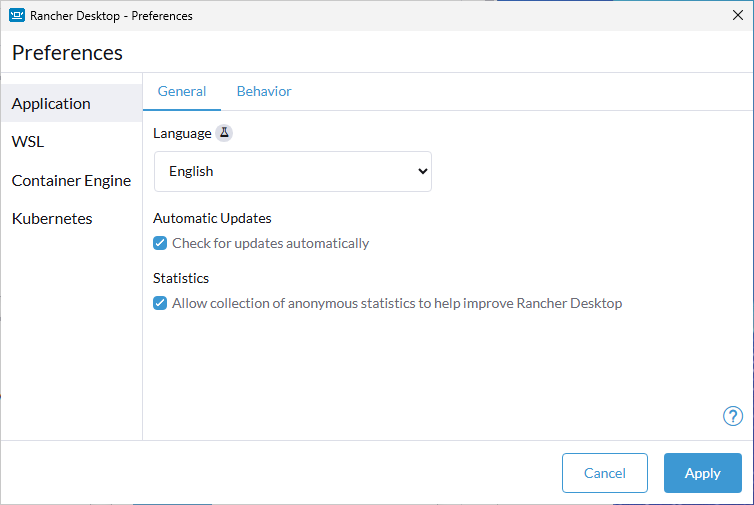
Language
This is an experimental setting.
Choose the language for the Rancher Desktop interface. Chinese (Simplified), French, German, Italian, Japanese, Korean, Portuguese (Brazilian), and Spanish are available alongside English. English is always the default, whatever language your operating system uses. Click Apply and the interface switches language without a restart.
AI tools produced all eight translations. We have run the application in several of them, but we have not checked every string, so expect some awkward wording and a few that stay in English. Feedback from native speakers would be welcome. English is the canonical text. If something reads wrong, please report it in the issue tracker.
The setting applies to the main window and the Preferences dialog. The Cluster Dashboard is not translated yet, and numbers, dates, and times follow your operating system, not this setting. Both may change in a future release.
Automatic Updates
Ensure you have the setting checked and enabled on the Preferences > Application > General tab. You will need to click Apply once selected, and then manually restart the application for the settings to update. The same checkbox appears next to the title on the main General page.
If a new release is available, it will be downloaded upon restart and you will see a section denoted Update Available from the main General tab with a Restart button that can be clicked to have the newest version applied. A copy of the latest version’s release notes will be displayed via dropdown as well.
Statistics
This option allows Rancher Desktop to collect information on how you interact with the Rancher Desktop application. Information such as what workloads you run are not collected.
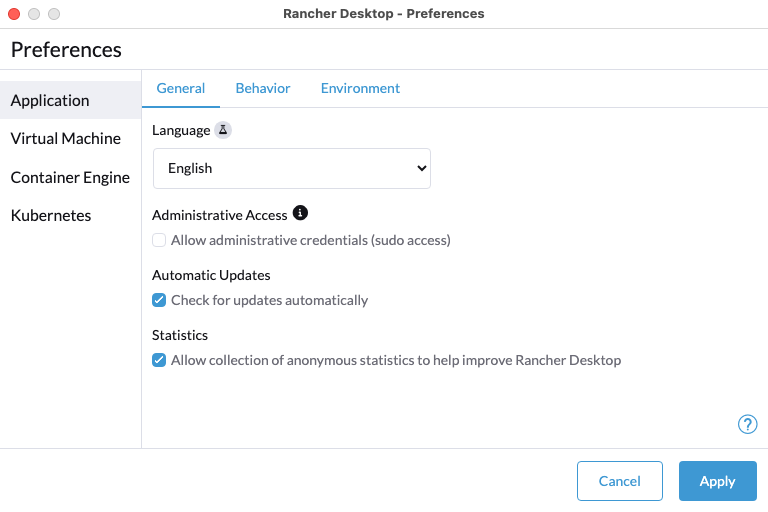
Language
This is an experimental setting.
Choose the language for the Rancher Desktop interface. Chinese (Simplified), French, German, Italian, Japanese, Korean, Portuguese (Brazilian), and Spanish are available alongside English. English is always the default, whatever language your operating system uses. Click Apply and the interface switches language without a restart.
AI tools produced all eight translations. We have run the application in several of them, but we have not checked every string, so expect some awkward wording and a few that stay in English. Feedback from native speakers would be welcome. English is the canonical text. If something reads wrong, please report it in the issue tracker.
The setting applies to the main window and the Preferences dialog. The Cluster Dashboard is not translated yet, and numbers, dates, and times follow your operating system, not this setting. Both may change in a future release.
Administrative Access
Enabling Administrative Access allows Rancher Desktop to create the Docker socket at the default location: /var/run/docker.sock. Without this access, the socket is instead created at ~/.rd/docker.sock and is accessible via the rancher-desktop Docker context. Most applications support Docker contexts and do not require the socket to be at the default location.
Administrative Access also enables the use of a bridged IP address that is reachable from both the host and other machines on the local network. Since Rancher Desktop automatically forwards container ports to the host, this is usually not necessary—unless containers need to be accessed from other devices on the network.
The external IP address is provided via Apple’s vmnet framework. This framework starts the mDNSResponder component of macOS, which uses port 53. As a result, when Administrative Access is enabled, running a DNS server in a container and forwarding port 53 to the host is not possible.
Rancher Desktop will prompt for an administrator username and password when Administrative Access is first enabled, and again the first time it is launched after a system reboot (since /var/run/docker.sock is deleted at boot).
Automatic Updates
Ensure you have the setting checked and enabled on the Preferences > Application > General tab. You will need to click Apply once selected, and then manually restart the application for the settings to update. The same checkbox appears next to the title on the main General page.
If a new release is available, it will be downloaded upon restart and you will see a section denoted Update Available from the main General tab with a Restart button that can be clicked to have the newest version applied. A copy of the latest version’s release notes will be displayed via dropdown as well.
Statistics
This option allows Rancher Desktop to collect information on how you interact with the Rancher Desktop application. Information such as what workloads you run are not collected.
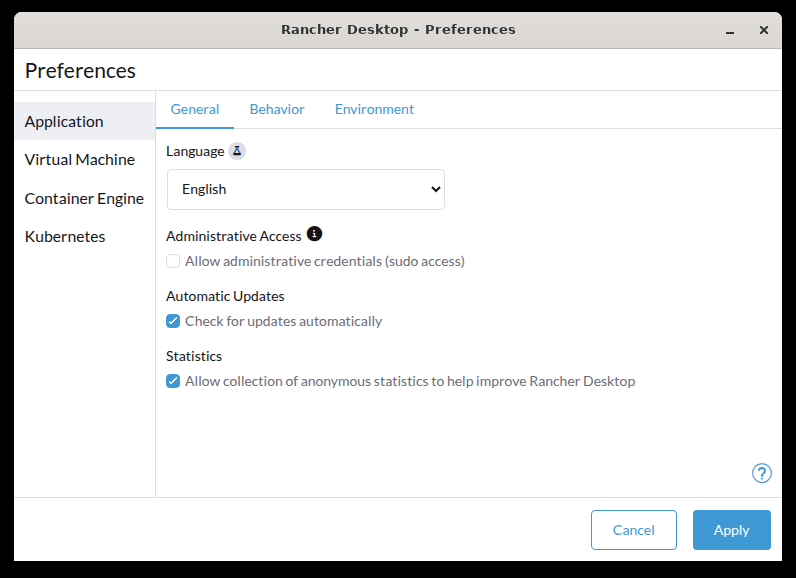
Language
This is an experimental setting.
Choose the language for the Rancher Desktop interface. Chinese (Simplified), French, German, Italian, Japanese, Korean, Portuguese (Brazilian), and Spanish are available alongside English. English is always the default, whatever language your operating system uses. Click Apply and the interface switches language without a restart.
AI tools produced all eight translations. We have run the application in several of them, but we have not checked every string, so expect some awkward wording and a few that stay in English. Feedback from native speakers would be welcome. English is the canonical text. If something reads wrong, please report it in the issue tracker.
The setting applies to the main window and the Preferences dialog. The Cluster Dashboard is not translated yet, and numbers, dates, and times follow your operating system, not this setting. Both may change in a future release.
Administrative Access
Enabling Administrative Access allows Rancher Desktop to create the Docker socket at the default location: /var/run/docker.sock. Without this access, the socket is instead created at ~/.rd/docker.sock and is accessible via the rancher-desktop Docker context. Most applications support Docker contexts and do not require the socket to be at the default location.
Rancher Desktop will prompt for an administrator username and password when Administrative Access is first enabled, and again the first time it is launched after a system reboot (since /var/run/docker.sock is deleted at boot).
Automatic Updates
Rancher Desktop updates itself on macOS and Windows only, so the Check for updates automatically checkbox has no effect here. To move to a new version, install it the same way you installed the current one, as described under Installation.
Statistics
This option allows Rancher Desktop to collect information on how you interact with the Rancher Desktop application. Information such as what workloads you run are not collected.