Proxy
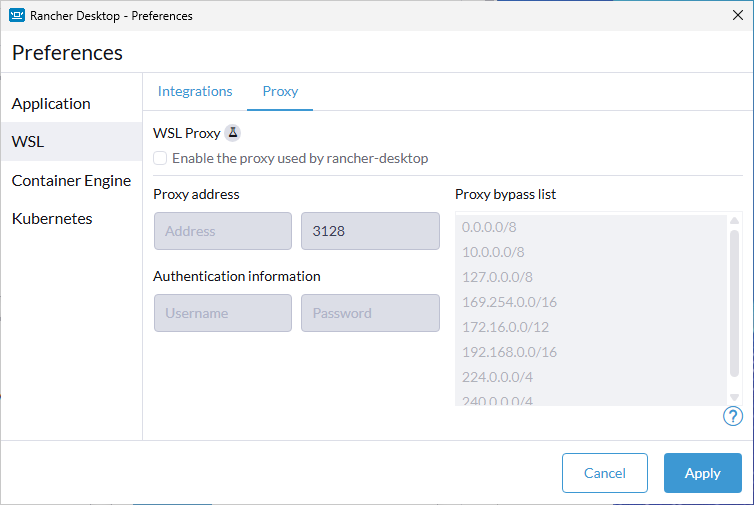
WSL Proxy
This is an experimental setting.
Rancher Desktop allows local, corporate, or VPN proxy server support for Windows users. The implementation can be enabled or disabled through the Proxy tab to capture network traffic and forward it to an http proxy. Once all information has been input, click the Apply button to have changes immediately take effect.
Proxy address
Users can input their proxy IP address and port number in the Proxy address fields.
Authentication information
If your proxy requires authentication then users can input their username and password in the Authentication information fields.
Proxy bypass list
This list holds the addresses that should bypass the proxy. Rancher Desktop pre-populates it with defaults, and you can add or remove entries. Each entry can be an IP address, a CIDR subnet, a domain name, or a wildcard pattern such as *.example.com.